
 Image 1 of 1
Data to Decisions: AI Prompt Pack for Business & Marketing
DESCRIPTION:
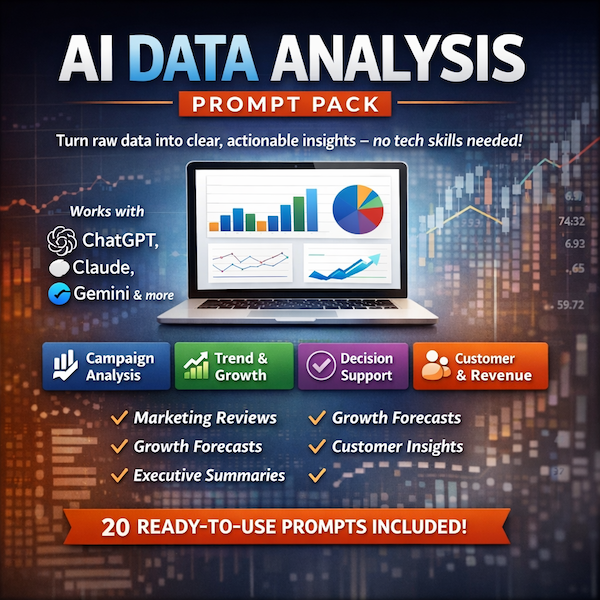
This prompt pack gives business owners and marketers a ready-to-use toolkit for turning raw data into clear, actionable insights — no technical skills required. Whether you're analysing campaign performance, tracking growth trends, understanding your customers, or preparing reports for stakeholders, these prompts do the heavy lifting so you can focus on decisions, not data wrangling.
Output Format: Each prompt is designed to deliver structured, plain-English output — including summaries, comparisons, recommendations, and narrative reports — suitable for internal reviews, client reporting, or strategic planning.
AI Tools: Compatible with ChatGPT, Claude, Gemini, and other leading AI platforms. Simply paste your data and get instant analysis. For best results, use an AI tool that supports file uploads (e.g. CSV or Excel) such as ChatGPT (with data analysis enabled), Claude, or Julius AI.
What's Inside (20 Prompts across 4 categories):
📊 Campaign Analysis — Evaluate ad, email, and social performance with confidence
📈 Trend & Growth — Spot patterns, track momentum, and forecast direction
🧠 Decision Support — Go from data to clear next actions, fast
👥 Customer & Revenue — Understand who's buying, who's leaving, and what drives value
Use Cases
Marketing Reviews: Quickly assess what's working across channels and where budget is being wasted
Monthly Reporting: Turn spreadsheet exports into polished summaries in minutes
Growth Planning: Identify trends and make confident forecasts without needing a data team
Customer Analysis: Spot churn signals, high-value segments, and revenue patterns
Stakeholder Updates: Generate board-ready narratives straight from your raw numbers
Free Prompts (Taster Pack)
Prompt 1 — Summarise This Month's Performance
I'm going to paste in some marketing/business performance data below. Please summarise the key results in plain English. Focus on: - What went well - What underperformed - One headline number that best represents overall performance Write it so a non-technical business owner can understand it in 30 seconds. 💡 Best data for this prompt: Monthly snapshots from any marketing or sales tool. Works great with a simple copy-paste from a spreadsheet or dashboard export.
Examples: Google Analytics monthly summary, Meta Ads monthly report, email newsletter stats, monthly sales figures.
Useful columns to include: Date, Channel, Sessions / Clicks, Conversions, Revenue, Cost, ROAS, Open Rate, Click Rate
Tip: Use descriptive column names — Email Open Rate (%) will give better results than just OR or Rate.
Prompt 2 — Spot the Biggest Problem
Below is a set of business or marketing metrics. Your job is to act as a data analyst and identify the single biggest problem or risk hiding in this data. Don't summarise everything — just find the most important issue, explain why it matters, and suggest one action to address it. 💡 Best data for this prompt: Multi-channel or multi-metric datasets where something might be quietly underperforming. The more metrics you include, the more useful this becomes.
Examples: A combined view of paid ads + organic + email performance, a weekly sales pipeline report, a product performance table.
Useful columns to include: Channel, Spend, Revenue, Conversion Rate (%), Cost Per Lead, Bounce Rate (%), Abandoned Cart Rate (%)
Tip: Don't filter out the bad numbers before pasting — the whole point is to let the AI find what you might have missed or ignored.
Prompt 3 — Write an Executive Summary
Turn the data below into a short executive summary (max 150 words). It should be written in confident, professional language suitable for a board update or investor report. Use clear sentences, no jargon, and highlight the 3 most important takeaways. 💡 Best data for this prompt: End-of-month or end-of-quarter performance data across key business metrics. Ideal when you need to present results to stakeholders and want a polished first draft fast.
Examples: Quarterly revenue summary, monthly marketing performance across all channels, board-level KPI dashboard export.
Useful columns to include: Month / Quarter, Revenue, New Customers, Total Orders, Marketing Spend, Net Profit, MoM Growth (%), Target vs Actual
Tip: Include targets or benchmarks alongside actuals if you have them (e.g. Revenue Target and Revenue Actual) — this gives the AI context to judge performance, not just report it.
Prompt 4 — Explain a Metric in Plain English
I'm looking at the following metric and I want to fully understand it: Metric name: [E.G. CUSTOMER ACQUISITION COST / ROAS / CHURN RATE] Current value: [INSERT VALUE] Industry/context: [E.G. E-COMMERCE / SAAS / LOCAL BUSINESS] Please explain: 1. What this metric actually measures 2. Whether my current value is good, average, or concerning 3. What typically causes this number to move up or down 4. One thing I could do this week to improve it💡 Best data for this prompt: Use this one metric at a time — it's designed for deep focus rather than broad analysis. Great when a number catches your eye and you're not sure what to make of it.
Examples of metrics to plug in: Customer Acquisition Cost (CAC), Return on Ad Spend (ROAS), Email Click-to-Open Rate (CTOR), Monthly Churn Rate (%), Average Order Value (AOV), Cost Per Click (CPC), Cart Abandonment Rate (%)
Tip: Always include your industry or business type — a 2% conversion rate means something very different for a luxury goods store vs a supermarket.
Prompt 5 — Compare Two Periods & Flag Anything Unusual
Compare the two sets of data below (e.g. this month vs last month, or this year vs last year). For each metric: - State whether it improved or declined and by how much (%) - Flag anything that looks unusual or unexpected - Give an overall verdict: are things trending in the right direction? Keep it concise and jargon-free. 💡 Best data for this prompt: Any two comparable time periods — works best when the columns are identical across both periods so the AI can do a clean like-for-like comparison.
Examples: January vs February sales data, Q1 this year vs Q1 last year, pre-campaign vs post-campaign metrics.
Useful columns to include: Month, Sessions, Leads, Conversion Rate (%), Revenue, Average Order Value, Ad Spend, Cost Per Acquisition
Tip: Label your data clearly — paste it as two separate tables with headers like January Data and February Data so the AI doesn't mix them up.
Prompt 6 — What Can I Do With This Data? (Meta-Analysis Prompt)
I have a dataset and I'm not sure what analysis or insights I could extract from it. I'm going to paste the data (or a sample of it) below. Please review it and tell me: 1. What type of data this is and what it likely represents 2. The 5 most valuable analyses or insights that could be produced from it 3. For each analysis, explain what business question it would answer 4. Which analysis you would recommend starting with, and why I'm a non-technical business owner / marketer, so please keep explanations clear and avoid unnecessary jargon. 💡 Best data for this prompt: Use this as your starting point whenever you have a new dataset and don't know where to begin — it's a diagnostic tool that tells you what's possible before you dive in.
Examples: A fresh export from your CRM, a Google Analytics data download, a spreadsheet of customer orders, ad campaign history going back 6–12 months.
Tip: You don't need to paste the whole dataset — paste the column headers plus 10–20 rows of real data. This gives the AI enough to understand the structure and suggest meaningful analyses without you having to share everything.
Descriptive column names matter most here — Customer Purchase Date is far more useful than Date, and Email Campaign Click Rate (%) beats CTR. The AI will suggest better analyses when it clearly understands what each column contains.
DESCRIPTION:
This prompt pack gives business owners and marketers a ready-to-use toolkit for turning raw data into clear, actionable insights — no technical skills required. Whether you're analysing campaign performance, tracking growth trends, understanding your customers, or preparing reports for stakeholders, these prompts do the heavy lifting so you can focus on decisions, not data wrangling.
Output Format: Each prompt is designed to deliver structured, plain-English output — including summaries, comparisons, recommendations, and narrative reports — suitable for internal reviews, client reporting, or strategic planning.
AI Tools: Compatible with ChatGPT, Claude, Gemini, and other leading AI platforms. Simply paste your data and get instant analysis. For best results, use an AI tool that supports file uploads (e.g. CSV or Excel) such as ChatGPT (with data analysis enabled), Claude, or Julius AI.
What's Inside (20 Prompts across 4 categories):
📊 Campaign Analysis — Evaluate ad, email, and social performance with confidence
📈 Trend & Growth — Spot patterns, track momentum, and forecast direction
🧠 Decision Support — Go from data to clear next actions, fast
👥 Customer & Revenue — Understand who's buying, who's leaving, and what drives value
Use Cases
Marketing Reviews: Quickly assess what's working across channels and where budget is being wasted
Monthly Reporting: Turn spreadsheet exports into polished summaries in minutes
Growth Planning: Identify trends and make confident forecasts without needing a data team
Customer Analysis: Spot churn signals, high-value segments, and revenue patterns
Stakeholder Updates: Generate board-ready narratives straight from your raw numbers
Free Prompts (Taster Pack)
Prompt 1 — Summarise This Month's Performance
I'm going to paste in some marketing/business performance data below. Please summarise the key results in plain English. Focus on: - What went well - What underperformed - One headline number that best represents overall performance Write it so a non-technical business owner can understand it in 30 seconds. 💡 Best data for this prompt: Monthly snapshots from any marketing or sales tool. Works great with a simple copy-paste from a spreadsheet or dashboard export.
Examples: Google Analytics monthly summary, Meta Ads monthly report, email newsletter stats, monthly sales figures.
Useful columns to include: Date, Channel, Sessions / Clicks, Conversions, Revenue, Cost, ROAS, Open Rate, Click Rate
Tip: Use descriptive column names — Email Open Rate (%) will give better results than just OR or Rate.
Prompt 2 — Spot the Biggest Problem
Below is a set of business or marketing metrics. Your job is to act as a data analyst and identify the single biggest problem or risk hiding in this data. Don't summarise everything — just find the most important issue, explain why it matters, and suggest one action to address it. 💡 Best data for this prompt: Multi-channel or multi-metric datasets where something might be quietly underperforming. The more metrics you include, the more useful this becomes.
Examples: A combined view of paid ads + organic + email performance, a weekly sales pipeline report, a product performance table.
Useful columns to include: Channel, Spend, Revenue, Conversion Rate (%), Cost Per Lead, Bounce Rate (%), Abandoned Cart Rate (%)
Tip: Don't filter out the bad numbers before pasting — the whole point is to let the AI find what you might have missed or ignored.
Prompt 3 — Write an Executive Summary
Turn the data below into a short executive summary (max 150 words). It should be written in confident, professional language suitable for a board update or investor report. Use clear sentences, no jargon, and highlight the 3 most important takeaways. 💡 Best data for this prompt: End-of-month or end-of-quarter performance data across key business metrics. Ideal when you need to present results to stakeholders and want a polished first draft fast.
Examples: Quarterly revenue summary, monthly marketing performance across all channels, board-level KPI dashboard export.
Useful columns to include: Month / Quarter, Revenue, New Customers, Total Orders, Marketing Spend, Net Profit, MoM Growth (%), Target vs Actual
Tip: Include targets or benchmarks alongside actuals if you have them (e.g. Revenue Target and Revenue Actual) — this gives the AI context to judge performance, not just report it.
Prompt 4 — Explain a Metric in Plain English
I'm looking at the following metric and I want to fully understand it: Metric name: [E.G. CUSTOMER ACQUISITION COST / ROAS / CHURN RATE] Current value: [INSERT VALUE] Industry/context: [E.G. E-COMMERCE / SAAS / LOCAL BUSINESS] Please explain: 1. What this metric actually measures 2. Whether my current value is good, average, or concerning 3. What typically causes this number to move up or down 4. One thing I could do this week to improve it💡 Best data for this prompt: Use this one metric at a time — it's designed for deep focus rather than broad analysis. Great when a number catches your eye and you're not sure what to make of it.
Examples of metrics to plug in: Customer Acquisition Cost (CAC), Return on Ad Spend (ROAS), Email Click-to-Open Rate (CTOR), Monthly Churn Rate (%), Average Order Value (AOV), Cost Per Click (CPC), Cart Abandonment Rate (%)
Tip: Always include your industry or business type — a 2% conversion rate means something very different for a luxury goods store vs a supermarket.
Prompt 5 — Compare Two Periods & Flag Anything Unusual
Compare the two sets of data below (e.g. this month vs last month, or this year vs last year). For each metric: - State whether it improved or declined and by how much (%) - Flag anything that looks unusual or unexpected - Give an overall verdict: are things trending in the right direction? Keep it concise and jargon-free. 💡 Best data for this prompt: Any two comparable time periods — works best when the columns are identical across both periods so the AI can do a clean like-for-like comparison.
Examples: January vs February sales data, Q1 this year vs Q1 last year, pre-campaign vs post-campaign metrics.
Useful columns to include: Month, Sessions, Leads, Conversion Rate (%), Revenue, Average Order Value, Ad Spend, Cost Per Acquisition
Tip: Label your data clearly — paste it as two separate tables with headers like January Data and February Data so the AI doesn't mix them up.
Prompt 6 — What Can I Do With This Data? (Meta-Analysis Prompt)
I have a dataset and I'm not sure what analysis or insights I could extract from it. I'm going to paste the data (or a sample of it) below. Please review it and tell me: 1. What type of data this is and what it likely represents 2. The 5 most valuable analyses or insights that could be produced from it 3. For each analysis, explain what business question it would answer 4. Which analysis you would recommend starting with, and why I'm a non-technical business owner / marketer, so please keep explanations clear and avoid unnecessary jargon. 💡 Best data for this prompt: Use this as your starting point whenever you have a new dataset and don't know where to begin — it's a diagnostic tool that tells you what's possible before you dive in.
Examples: A fresh export from your CRM, a Google Analytics data download, a spreadsheet of customer orders, ad campaign history going back 6–12 months.
Tip: You don't need to paste the whole dataset — paste the column headers plus 10–20 rows of real data. This gives the AI enough to understand the structure and suggest meaningful analyses without you having to share everything.
Descriptive column names matter most here — Customer Purchase Date is far more useful than Date, and Email Campaign Click Rate (%) beats CTR. The AI will suggest better analyses when it clearly understands what each column contains.